Green
Favor long setups
Check whether a long setup already fits your plan and the chart in front of you.
Stoic Edge Compass · TradingView indicator
Compass puts trend direction, range warnings and key levels on your TradingView chart, so you can focus on the setup in front of you.
Get Stoic Edge Compass$49/month or $497/year. USD.
Compare plans and access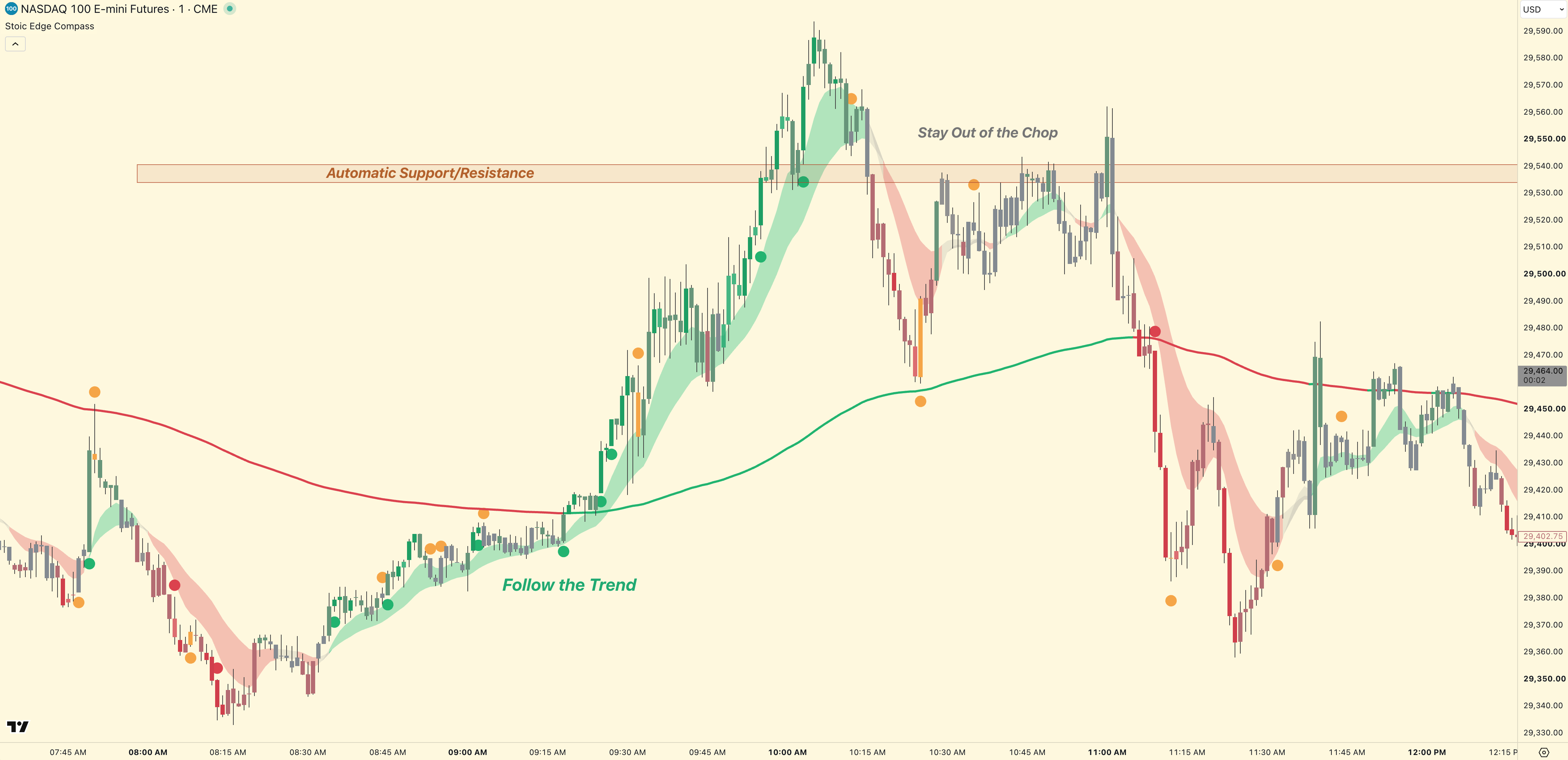 See Compass on your chartEnlarge
Built for discretionary traders with their own setup and risk plan. Read new markers after the bar closes.
Before you subscribe
You already have a setup you look for and rules for managing risk. Compass puts directional context, momentum, and key levels on the chart while you decide whether that setup is there.
If you are still learning entries, stops, position sizing, and exits, work on those first. Buying Compass will not supply that trading plan or establish that your approach is profitable.
Review the example chart and feature guide before paying. Compass has paid access only; we do not offer free trials.
Read the Compass guideYour first read
The color narrows your attention. Your setup and risk plan decide what happens next.
Green
Check whether a long setup already fits your plan and the chart in front of you.
Red
Check whether a short setup already fits your plan and the chart in front of you.
Yellow
Pause, reassess the chart, and wait until your own setup is clear.
| Color | Meaning | You still decide |
|---|---|---|
| Green | Favor long setups | Whether a long setup in your plan is actually present, and how much risk to take. |
| Red | Favor short setups | Whether a short setup in your plan is actually present, and how much risk to take. |
| Yellow | Slow down | Whether to wait, reduce activity, or skip the chart until your setup is clear. |
Daily workflow
Read a new color after the current candle has finished forming.
See whether the market and timeframe in your plan support the read.
Use your own entry model to decide whether a trade is actually there.
Choose the entry, stop, size, and exit before putting capital at risk.
Updated September 9, 2026
Follow bullish, bearish and mixed context as the chart develops.
Yellow caution dots bring your attention to an established range or a move that needs a closer look.
Read price against the bold line: green above it, red below.
Use standard or Heikin Ashi candles, with appearance settings for the context you want to see.
Keep the boundary clear
Compass gives you context. It does not replace your setup, judgment, or risk plan.
Pricing
Both plans include the same Compass access, documentation, updates, and support.
Active Stoic Traders members already have Compass included. Sign in to check your access before purchasing separately.
Stoic Traders offers $97/month and $997/year plans, with the course, community, War Map, Compass, Scanner beta and Journal beta. Yearly Premium includes lifetime course and Compass access. Monthly Compass access requires active membership. Compare membership options.
Prices are in USD. Both subscriptions renew until canceled. Review your total in Checkout before paying.
Access
Stripe handles payment. Stoic Edge creates the member record and sends the TradingView invitation. The final invite step is reviewed manually.
Choose monthly or annual billing, enter your email, and finish payment in secure Stripe Checkout.
Enter the exact TradingView username you want invited. You can add or correct it after member sign-in.
Stoic Edge reviews your username and adds invite-only access. Allow up to 48 hours after payment and a valid username are received.
Sign in with your purchase email, open the instructions, and add the invited script to your chart.
Need access help? Email stoic@stoicedge.com.
FAQ
These answers cover daily use, access, billing, and support.
Written by Stoic Trader. Updated .
Choose $49 per month or $497 per year. Both plans include the same indicator, documentation, updates, and access support.
Verified monthly or annual price
Payment details handled by Stripe
Member access tied to your email
Manual TradingView invite support
